Google Ads30 Oct 202614 min read
How to Run Google Ads for Small Businesses
Learn how to run Google Ads for small businesses with a practical step-by-step guide. Discover how to choose keywords set budgets create effective ads optimize landing pages track conversions and generate more qualified leads.
By Ayesh Zubair
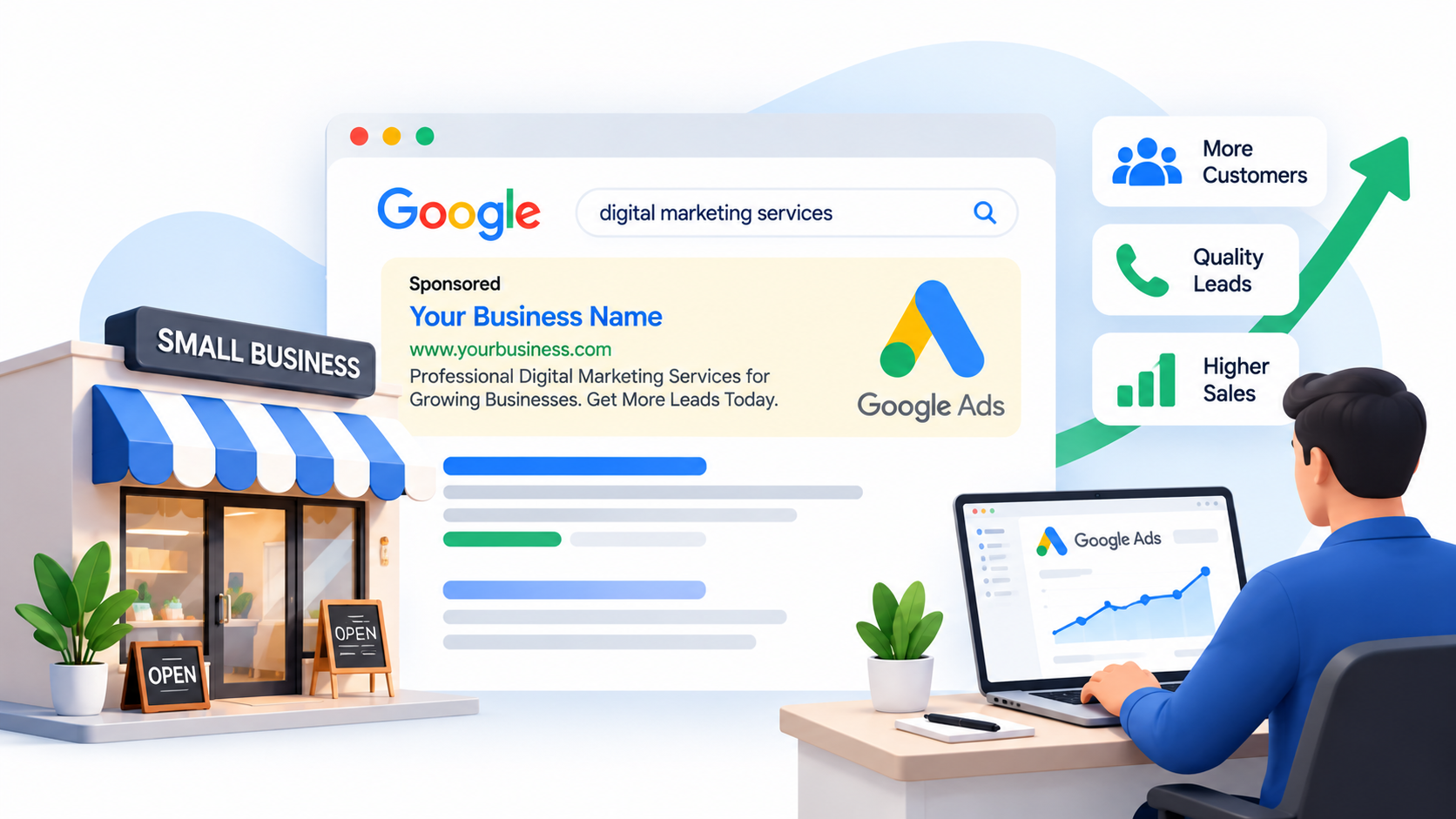
Running a small business requires finding effective ways to attract customers without wasting your marketing budget. Whether you operate a local service company, an online store, or a professional business, reaching people who are actively searching for your products or services can make a significant difference.
Google Ads is one of the most useful digital advertising platforms for achieving this goal. It allows businesses to display advertisements when potential customers search for relevant products and services on Google.
However, simply creating a campaign and spending money does not guarantee results. A successful Google Ads strategy requires proper keyword research, campaign structure, budget management, compelling ad copy, effective landing pages, and accurate conversion tracking.
In this guide, we explain how small businesses can set up and manage Google Ads campaigns to generate relevant traffic, qualified leads, and sales.
1. Define Your Google Ads Campaign Goals
Before creating a campaign, determine what you want to achieve.
Different businesses have different advertising objectives. A local service provider may want phone calls and enquiry forms, while an eCommerce store may focus on online purchases.
Common Google Ads goals include:
- Generating qualified leads
- Increasing online sales
- Receiving phone calls
- Getting appointment bookings
- Increasing website traffic
- Promoting a specific product or service
- Attracting customers within a local area
Your campaign structure, bidding strategy, conversion tracking, and advertising budget should support your primary business objective.
For example, if you operate a plumbing company, your main goal may be to generate calls and service enquiries rather than simply increase website visits.
Having a clear objective helps you evaluate campaign performance based on meaningful business results.
2. Choose the Right Google Ads Campaign Type
Google Ads offers different campaign types designed to reach customers across Google's advertising network.
Small businesses should select campaign types based on their products, services, audience, and objectives.
Search Campaigns
Search campaigns display text advertisements when users search for relevant keywords on Google.
They are particularly useful for businesses targeting customers who already have an interest in a product or service.
For example, a cleaning company could target searches such as:
- House cleaning services
- Professional cleaning company
- Office cleaning services
- Deep cleaning near me
Search campaigns are often a practical starting point for small businesses because they allow advertisers to target relevant search intent.
Performance Max Campaigns
Performance Max uses Google's AI-powered optimization to reach customers across multiple Google advertising channels from a single campaign.
It can be useful for businesses with multiple conversion opportunities and sufficient conversion data.
However, advertisers should provide high-quality assets, accurate conversion tracking, and clear campaign goals.
Shopping Campaigns
Shopping campaigns are designed for eCommerce businesses that want to promote products with information such as product images, prices, and store details.
These campaigns use product data from Google Merchant Center.
They can help online stores reach shoppers who are actively researching or purchasing products.
Display Campaigns
Display campaigns show visual advertisements across eligible websites and apps.
They can help businesses increase brand awareness, reach relevant audiences, and support remarketing strategies.
YouTube Campaigns
YouTube advertising allows businesses to promote products and services through video advertisements.
It can be useful for demonstrating products, introducing a brand, and reaching audiences through visual content.
Recommendation: For many small businesses starting with a limited budget and looking for high-intent leads, a focused Search campaign is a sensible starting point.
3. Conduct Proper Keyword Research
Keyword research is one of the most important steps in Google Ads campaign setup.
Your keywords determine which searches may trigger your advertisements. Choosing irrelevant keywords can waste your advertising budget and attract visitors who are unlikely to become customers.
Start by identifying the products or services you offer and the terms potential customers use when searching for them.
For example, a digital marketing company might target:
- Digital marketing services
- Google Ads management services
- SEO services
- PPC management company
- Facebook Ads management
- Digital marketing agency near me
Focus on keywords that demonstrate commercial or transactional intent.
Understand Keyword Match Types
Google Ads provides different keyword matching options.
Broad Match
Broad match can reach searches related to the meaning of your keyword, including relevant variations and additional search context.
It provides wider reach but requires careful monitoring of search terms and conversion performance.
Phrase Match
Phrase match can reach searches that include the meaning of your keyword while maintaining more control over relevance.
Exact Match
Exact match provides more focused targeting around searches with the same meaning or intent as your keyword.
For small businesses with limited budgets, it is important to monitor search terms regularly regardless of the match type being used.
Use Negative Keywords
Negative keywords prevent advertisements from showing for searches that are not relevant to your business.
For example, a company offering paid professional SEO services may want to exclude searches containing terms such as:
- Free
- Jobs
- Salary
- Internship
- Course
- Tutorial
Negative keyword selection should always depend on your actual services and customer intent. Some of these terms may be relevant to businesses offering training or educational products.
Regularly reviewing the Search Terms report helps identify irrelevant searches and improve campaign efficiency.
4. Set a Realistic Advertising Budget
One of the biggest concerns for small businesses is how much money they should spend on Google Ads.
There is no universal advertising budget because costs vary by industry, competition, location, and keyword demand.
You should choose a budget that your business can afford while allowing enough advertising activity to evaluate campaign performance.
For example:
| Daily Budget | Approximate Monthly Budget |
|---|---|
| $10 | $300 |
| $20 | $600 |
| $30 | $900 |
| $50 | $1,500 |
These figures use a 30-day planning estimate. Actual Google Ads charges can vary according to daily spending limits and campaign activity.
How to Allocate Your Budget
If you have a limited budget, avoid spreading it across too many campaigns and unrelated services.
Instead:
- Start with your most profitable product or service.
- Prioritize keywords with strong commercial intent.
- Focus on one target market or service area.
- Avoid unnecessary campaign duplication.
- Review performance before increasing spending.
Your goal should be to generate profitable conversions rather than spend the entire budget.
5. Create a Well-Structured Google Ads Campaign
Campaign structure plays an important role in advertising performance.
A clear structure makes it easier to manage keywords, advertisements, budgets, and performance data.
For a small business, a simple structure may look like this:
Campaign: Google Ads Management Services
Ad Group: Google Ads Services
- Google Ads management
- Google Ads management services
- Google Ads expert
- PPC management services
Ad Group: PPC Advertising
- PPC advertising services
- PPC management company
- Professional PPC management
Each ad group should contain closely related keywords and relevant advertisements.
Avoid placing unrelated services into one ad group simply to keep the campaign small.
Your structure should be simple enough to manage while maintaining strong relevance between keywords, advertisements, and landing pages.
6. Write Compelling Google Ads Copy
Your advertisements should explain what your business offers and why potential customers should choose you.
A good Google Search ad should communicate a clear value proposition and encourage users to take the next step.
Focus on:
- Relevant keywords
- Clear service descriptions
- Unique selling points
- Customer benefits
- Trust signals
- Strong calls to action
Example Google Ads Headlines
For a digital marketing company:
- Professional Digital Marketing
- Expert Google Ads Management
- Grow Your Business Online
- Generate More Qualified Leads
- Affordable PPC Management
- SEO Services for Businesses
Example Descriptions
Description 1:
Grow your business with professional digital marketing services. Get targeted traffic and generate quality leads with expert campaign management.
Description 2:
Looking for better advertising results? Get customized Google Ads and SEO strategies designed to support your business growth.
Use Responsive Search Ads to provide multiple relevant headlines and descriptions. Google can test different combinations to help identify effective messaging.
Avoid making unsupported promises about guaranteed rankings, leads, or sales.
7. Create a High-Converting Landing Page
Getting clicks is only one part of a successful Google Ads campaign. Your landing page must convince visitors to take action.
Sending paid traffic to an irrelevant or poorly designed page can waste your advertising budget.
A strong landing page should include:
Clear Headline
Your headline should immediately explain what you offer.
For example:
"Professional Google Ads Management Services for Growing Businesses."
Relevant Service Information
Explain your services, benefits, and how your business can help potential customers.
Strong Call to Action
Use clear calls to action such as:
- Get a Free Consultation
- Request a Quote
- Call Now
- Book an Appointment
- Contact Our Team
Trust Signals
Add relevant testimonials, case studies, customer reviews, certifications, or other genuine proof of your experience.
Mobile-Friendly Design
Many potential customers browse and interact with websites through mobile devices.
Ensure your landing page loads quickly, displays correctly on smaller screens, and makes it easy for users to contact your business.
Simple Contact Forms
Ask only for the information you need to follow up with potential customers.
Long and complicated forms can discourage visitors from completing an enquiry.
8. Set Up Conversion Tracking Properly
Conversion tracking is essential for understanding whether your Google Ads campaigns are generating meaningful business results.
Without accurate tracking, you may know how many people clicked your advertisements but not how many became customers.
Depending on your business model, you can track:
- Contact form submissions
- Phone calls
- Purchases
- Appointment bookings
- Qualified lead submissions
- Other valuable business actions
Google Ads conversion tracking, Google Analytics 4, and Google Tag Manager can help you measure these interactions.
Primary and Secondary Conversions
Not every website interaction should be treated as an equally important conversion.
Primary conversions are the actions you want Google Ads to use for campaign optimization and bidding.
Examples include completed purchases or qualified lead submissions.
Secondary conversions are useful supporting actions that you want to observe without generally using them as primary bidding goals.
Examples may include page views, button clicks, or other engagement events.
Choose conversion actions carefully and avoid counting the same action multiple times.
For example, a thank-you page that reloads repeatedly may create duplicate lead conversions if tracking is not configured properly.
Test your conversion setup before relying on campaign performance data.
9. Choose the Right Bidding Strategy
Google Ads offers different bidding strategies depending on your campaign objectives.
The right strategy depends on your available data, conversion goals, competition, and business requirements.
Maximize Clicks
This strategy aims to generate as many clicks as possible within your budget.
It can be useful when the initial objective is to attract website traffic, but clicks do not necessarily represent qualified leads.
Maximize Conversions
This strategy uses Google's automated bidding to help generate as many conversions as possible within your budget.
It is generally more useful when conversion tracking is accurate and the campaign has sufficient meaningful conversion data.
Target CPA
Target Cost Per Acquisition aims to generate conversions around a specified average cost per acquisition.
It requires realistic targets and sufficient conversion information for effective optimization.
Maximize Conversion Value
This strategy focuses on generating the highest possible conversion value within the available budget.
It is particularly relevant for businesses that track different purchase values or revenue amounts.
Important: Do not select a bidding strategy only because it sounds more advanced. Choose one that matches your business objective and available conversion data.
10. Monitor Search Terms and Optimize Campaign Performance
Launching a campaign is only the beginning. Regular monitoring and optimization are necessary to improve performance.
Review your campaign data and identify areas where adjustments may be needed.
Important metrics include:
| Metric | What It Measures |
|---|---|
| Impressions | How often your ads are displayed |
| Clicks | How many users click your ads |
| CTR | Percentage of impressions that generate clicks |
| Average CPC | Average cost per click |
| Conversions | Completed tracked actions |
| Conversion Rate | Percentage of interactions that convert |
| Cost Per Conversion | Average cost of each conversion |
| Conversion Value | Value assigned to tracked conversions |
Practical Optimization Activities
- Review search terms and exclude irrelevant searches.
- Identify keywords that generate qualified leads.
- Improve advertisements with weak engagement.
- Monitor budget and spending patterns.
- Check landing page performance.
- Review conversion tracking accuracy.
- Evaluate device and geographic performance.
- Adjust bidding strategies when supported by sufficient data.
Avoid making unnecessary changes every day based on limited data. Give campaigns an appropriate evaluation period and make decisions using meaningful performance trends.
11. Common Google Ads Mistakes Small Businesses Should Avoid
Many small businesses lose advertising money because of avoidable campaign setup and management mistakes.
Here are some common issues to watch for.
Targeting Too Many Keywords
Adding too many unrelated keywords can reduce campaign relevance and make budget management difficult.
Start with a focused keyword strategy.
Ignoring Negative Keywords
Without regular search term reviews, your ads may appear for searches that have little commercial value.
Using Poor Landing Pages
A slow or confusing landing page can reduce conversion opportunities even when your advertisements attract relevant visitors.
Tracking the Wrong Conversions
Optimizing for low-value actions instead of actual leads or purchases can lead to misleading campaign performance.
Changing Campaign Settings Too Frequently
Frequent changes without sufficient data can make it difficult to understand which adjustments are actually improving results.
Focusing Only on Clicks
High click volume does not necessarily mean a campaign is successful.
Focus on qualified leads, sales, acquisition costs, and profitability.
12. How Much Should a Small Business Spend on Google Ads?
The right budget depends on your industry, average CPC, conversion rate, and customer value.
Before deciding on a budget, estimate how many clicks you can afford and how many of those clicks may become leads or customers.
For example, assume a business spends $600 per month on Google Ads.
If its average CPC is $2, the campaign could generate approximately 300 clicks.
If the landing page converts 5% of those visitors, the business may receive approximately 15 conversions.
This is a hypothetical example, not a performance guarantee. Actual results depend on keyword competition, traffic quality, landing page experience, and conversion tracking.
The next step is to determine how many of those conversions become qualified leads and paying customers.
This helps establish whether the advertising investment is commercially worthwhile.
Final Thoughts
Google Ads can be a valuable growth channel for small businesses when campaigns are planned and managed properly.
The most successful campaigns are not necessarily those with the largest budgets. They are the ones that reach the right audience, target relevant searches, communicate clear benefits, and convert website visitors into customers.
Start with a clear business objective, conduct proper keyword research, create a focused campaign structure, and build a landing page that encourages visitors to take action.
Most importantly, configure conversion tracking and monitor performance regularly so that your decisions are based on actual business results.
If your business needs faster visibility and wants to reach customers actively searching for your services, Google Ads can help create valuable opportunities.
Looking to generate more leads through Google Ads? Explore Scalviro's digital marketing services and build a campaign strategy designed around your business goals.

About the author
Ayesh Zubair
Founder of Scalviro · Digital Marketer
Ayesh Zubair is the founder of Scalviro, providing SEO, Google Ads and Meta Ads management. He writes about search visibility, paid advertising and digital marketing strategies for businesses.